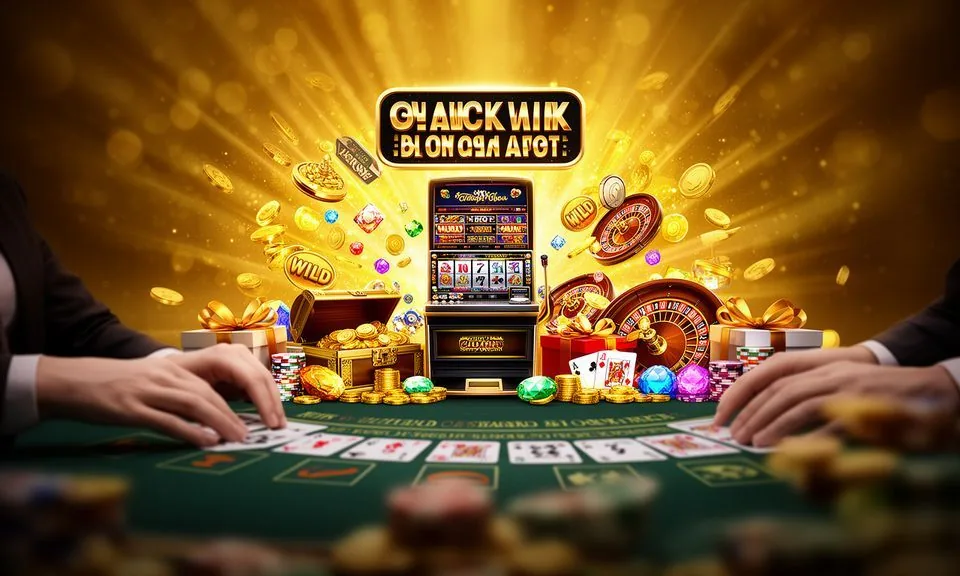
Spinner Star is a slot-style game in the bd991 lobby built around a rotating reel format with visible betting controls and a star-symbol gameplay structure. Load it from the slots section on mobile or desktop — the same game, the same controls, wherever your account is open.
Spinner Star sits in the slots category of the bd991 game lobby. It follows a reel-spin structure where star-themed symbols land across paylines, and the game's interface shows your current bet size, line count and balance at all times.
HOW IT PLAYS
Spinner Star Mechanics and Betting Structure
Spinner Star's in-game controls are designed to stay visible no matter the screen size. Adjust your bet per line, check your total stake, and review active paylines before each spin — all from the main game panel.
Bet Per Line Control
Spinner Star displays a clear bet-per-line selector before each round. Adjust it up or down using the on-screen arrows. Your total stake updates automatically so you always know exactly how much each spin costs before you confirm it.
Payline Structure
The game shows active paylines on the reel grid. You can see which combinations are in play and how winning patterns are counted. The paytable inside the game lists each symbol's value and the conditions for a line win, clearly and without abbreviation.
Slot Feature Round Entry
Spinner Star includes a slot feature round triggered by specific symbol combinations — the exact trigger conditions are written in the game's own help panel. We do not describe mechanics beyond what the game itself publishes, so open the paytable to read the current rules.
Mobile Touch Controls
On a smartphone, Spinner Star resizes its interface to a single-column layout. The spin button stays at the bottom of the screen, stake selectors remain accessible above it, and the reel grid fills the centre — no horizontal scroll needed for standard mobile browsers.
TRANSPARENCY PANEL
Spinner Star Rules, Controls and Published Data
Knowing where to find accurate information about Spinner Star matters more than taking any third-party figure on trust. The game's paytable and help screen are the authoritative source for its rules, symbol values and feature conditions.
RTP Disclosure
RTP for Spinner Star is shown only inside the game's own paytable or help screen, where the provider has published it. We do not display a separate percentage on this page because we cannot guarantee it matches the live game configuration at any given moment.
Volatility Information
Volatility level for Spinner Star, if published, appears in the game's rules panel. Some versions display it as a short label — low, medium or high. If no label is shown, the game's provider has not made that information public in this configuration.
Browser and Device Path
Spinner Star loads in a standard mobile or desktop browser without a download requirement. Open your account, navigate to the slots section, search the game name, and the session starts in the same window. No app install needed for browser access.
Published Rules Location
The complete rule set for Spinner Star lives inside the game window under the help or info icon. That includes payline diagrams, symbol pay values, feature trigger conditions and any return figures the game publishes. Read those before your first real-money spin.
NEED A HAND
Get Help with Spinner Star Sessions
If something interrupts your Spinner Star session — a game loading issue, a round that didn't resolve, or a balance discrepancy after a spin — the support routes on our site are the right place to start.
Live Chat
Reach the support team through the live chat icon available when you are signed into your account. Describe your Spinner Star session issue — include the round time and your balance before and after — so the agent can check the game log quickly and accurately.
Account Help Centre
The Help Centre in your signed-in account area covers common Spinner Star questions: session timeouts, spin history, and how to read your transaction record after a feature round. Search 'Spinner Star' in the help search bar to find the most relevant article.
Wallet and Transaction Queries
If your Spinner Star session ended but your balance did not update as expected, go to the transaction history section of your account wallet. The record shows each round result. For disputes, raise a ticket via the support form with the session timestamp attached.
WHY WE SHOW THIS
How bd991 Presents Spinner Star Fairly
We keep Spinner Star's game page factual. No invented RTP percentages, no studio attributions we cannot verify, and no mechanics described beyond what the game itself publishes.
Paytable as Source of Truth
Every mechanical claim about Spinner Star on this page comes from what the game's own paytable and help screen publish.
No Invented Studio Credit
We have not assigned Spinner Star to a specific studio on this page because no verified game-to-studio mapping was supplied to us.
Category Navigation is Accurate
Spinner Star is listed in the slots section of the lobby. That category placement reflects how the game is indexed in the lobby at the time this page was written.
Support Routes Are Published
The help channels named on this page — live chat, the Help Centre and the transaction support form — are the routes published on the bd991 site.
TERMS EXPLAINED
Spinner Star Glossary: Key Terms Defined
New to slot terminology or just want a plain-language definition before you start? The terms below cover the language you will encounter inside Spinner Star's game panel and paytable.
What is a payline in Spinner Star?
A payline is a set path across the reels where matching symbols must land to count as a win. Spinner Star displays active paylines on the reel grid; the paytable lists how many paylines are in play and which directions they run.
What does 'bet per line' mean in a slot game?
Bet per line is the amount you stake on each individual payline in a single spin. Multiply it by the number of active paylines to get your total spin cost. Spinner Star shows both figures on the main control panel before you spin.
What is a slot feature round?
A slot feature round is a bonus mode triggered by landing specific symbols in a set combination. It runs separately from a standard spin and often applies different rules or multipliers. Spinner Star's trigger conditions are described in its own help screen.
What does RTP stand for and where is it shown?
RTP stands for Return to Player — a percentage indicating how much of total stakes a game returns over many rounds in theory. For Spinner Star, this figure is shown only if the game itself publishes it in its help or paytable panel, not separately on this page.
What is volatility in a slot context?
Volatility describes how a slot distributes wins — low volatility means smaller wins appear more often; high volatility means larger wins occur less frequently. If Spinner Star publishes a volatility label, it appears in the in-game rules panel rather than on external pages.
What is a paytable?
A paytable is the game's own reference sheet showing symbol values, payline rules and feature trigger conditions. In Spinner Star, it opens from the help or info icon inside the game window and is the authoritative source for all rule information.
COMMON QUESTIONS
Spinner Star Questions Answered
Here are the questions we see most from people exploring Spinner Star in the lobby. Each answer points to what you can check yourself — in the game, in your account, or through support.
Where do I find Spinner Star in the bd991 lobby?
Open the slots section from the main lobby navigation, then use the search bar and type 'Spinner Star'. The game card appears in the results. Select it and the game loads in your browser window — no download and no separate app required for standard browser access.
Can I play Spinner Star on my mobile phone?
Yes. Spinner Star adapts to mobile screen sizes within a standard browser. The reel grid, spin button and bet controls all resize for portrait mode on a smartphone. Your account session carries over from desktop to mobile, so your balance is the same on both devices.
How do I know the rules for Spinner Star's feature round?
Open the game and tap the help or info icon — usually in the top corner of the game window. The rules panel describes the feature round trigger conditions, what happens during it and how any special symbols behave. That is the current, configuration-accurate version of the rules.
Does Spinner Star show my spin history after a session?
Your account's transaction history records each round result, including Spinner Star sessions. Open the wallet or transaction section of your account after playing and filter by the game name or date. If a round result looks incorrect, note the timestamp and raise it with support.
What should I do if Spinner Star stops loading mid-session?
First, refresh your browser and confirm your account session is still active — most interruptions clear at that step.
Is the Spinner Star game the same on desktop and mobile?
The game content — reels, paylines, feature rules and symbol values — is the same across devices. The visual layout adjusts to fit the screen. Desktop gives a wider reel view; mobile compresses the interface vertically. Both versions draw from the same account balance and record sessions identically.
 Sports / Slots